Why two Kindle files with similar extensions behave completely differently
When you connect a Kindle e-reader over USB or inspect an older computer backup, you will often find a mix of extensions inside the documents folder: .mobi, .azw, .azw3, .kfx, .prc and companion .sdr metadata directories. Two files sitting side by side can look almost identical in Finder or Explorer, yet one converts cleanly into a reflowable .epub in seconds while the next immediately stops with an encryption or unsupported-container error.
Understanding what each extension actually stores saves hours of trial and error and prevents accidentally corrupting personal backups.
| File extension / folder | Internal container header | Typical origin | Browser EPUB conversion status |
|---|---|---|---|
.mobi / .prc (DRM-free) | BOOKMOBI, Record 0 Encryption = 0 | Public-domain archives, indie shops, personal docs | Supported via MOBI to EPUB converter |
.azw3 (DRM-free KF8) | BOOKMOBI + KF8 boundary, Encryption = 0 | DRM-free publisher downloads & USB personal exports | Supported via AZW3 to EPUB converter |
.azw / .azw3 (Protected) | BOOKMOBI, Record 0 Encryption = 1 or 2 | Retail store purchases tied to a device or account | Blocked — converter does not bypass DRM |
.kfx / .kfx-zip / .azw8 | CONT / Amazon Ion binary fragments | Modern Kindle Enhanced Typesetting deliveries | Unsupported binary format (even when unencrypted) |
BookName.sdr/ folder | Sidecar bookmarks, X-Ray & page-count cache | Created automatically by Kindle firmware | Auxiliary folder — does not contain the book text |
How Mobipocket Record 0 flags indicate encryption without opening the book
- Check the 78-byte PalmDB header: Classic
.mobi,.prc,.azwand.azw3files store the ASCII magic stringBOOKMOBIat byte offsets60..67. - Read the Record 0 encryption uint16: Inside the first Palm database record, two bytes specify encryption:
0means unencrypted,1indicates legacy Mobipocket encryption, and2indicates PID/account-bound DRM encryption. - Verify compression compatibility: Immediately adjacent to the encryption field sits the compression uint16 (
1= uncompressed,2= PalmDOC LZ77,17480=HUFF/CDIC—see PRC & PalmDOC to EPUB). - Inspect resulting EPUB containers locally: When a DRM-free file converts (
Encryption = 0), confirm clean OCF structure in the EPUB Preflight Checker per the W3C EPUB 3.3 specification before sending to another device.
Why KFX (.kfx) and sidecar (.sdr) files are not Mobipocket books
Starting with Enhanced Typesetting, modern Kindles frequently deliver books in KFX format rather than classic Mobipocket or KF8. Instead of HTML chapters inside a Palm database, KFX serializes layout tokens and styling fragments using Amazon Ion binary structures, often split across a main .kfx file and auxiliary asset containers inside an .sdr folder.
Because KFX is a completely different binary architecture—and retail KFX deliveries are nearly always encrypted—neither the MOBI to EPUB converter nor the AZW3 to EPUB converter parses .kfx files. Similarly, selecting a Book.sdr file or .mbp / .apnx sidecar file fails because sidecar files hold reading progress and annotations, not chapters.
Legitimate ways to read or re-download books across devices
If a conversion fails because your file is a DRM-protected purchase or a KFX delivery, do not rename the extension to .epub:
- Read through official cross-platform apps: Retail Kindle purchases sync natively across the official Kindle apps for iOS, Android, macOS, Windows and Kindle Cloud Reader without file conversion.
- Check indie publisher download pages: Many technical publishers (such as Pragmatic Bookshelf, No Starch Press, O'Reilly archives, Leanpub and StoryBundle) and authors provide direct DRM-free
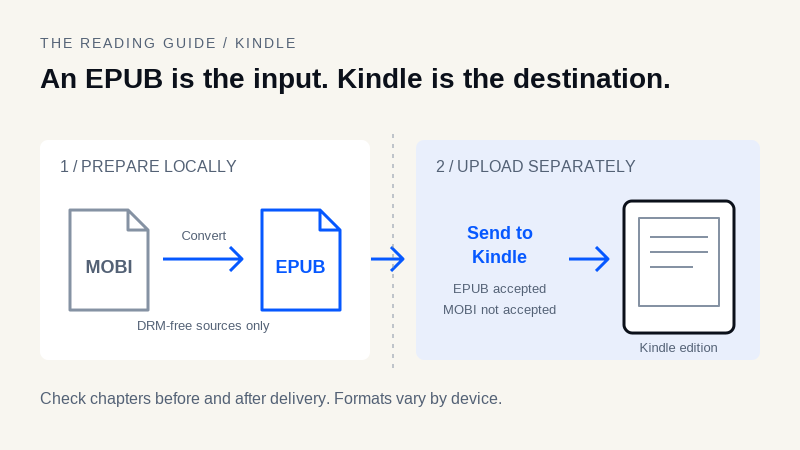
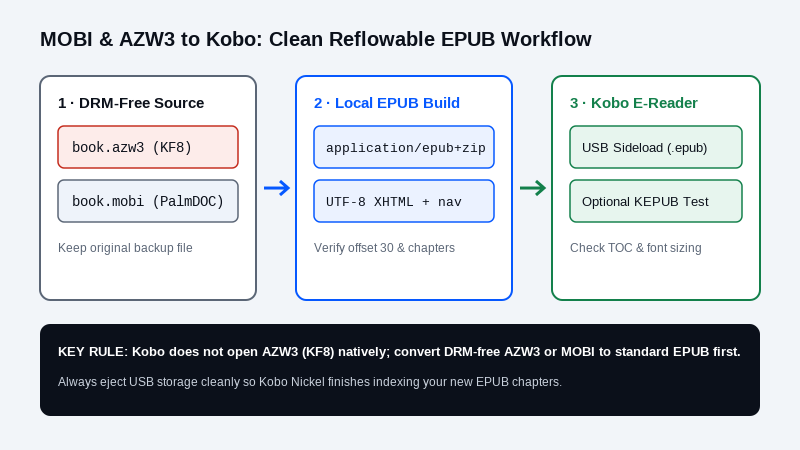
.epubdownloads right in your purchase library alongside legacy.mobicopies. - Send DRM-free EPUBs forward: For public-domain classics, personal manuscripts and DRM-free indie books, keep your master archive in validated EPUB and deliver to Kindle via Amazon Send to Kindle (see Does Kindle Support EPUB? and Kobo MOBI & AZW3 to EPUB) or check desktop options in Calibre documentation.
What to check when a DRM-free personal document still fails
Occasionally a file you created yourself has Encryption = 0 yet still fails to convert. Check whether the file was truncated during a USB disconnect without ejecting the drive, whether it is actually a renamed PDF (check %PDF- at byte 0 and use PDF to EPUB for selectable-text PDFs), or whether you selected the .sdr metadata file instead of the main .mobi / .azw3 book file.
Pre-conversion verification checklist for Kindle folders
- Selected the main
.mobior.azw3book file rather than an.sdr,.mbpor.apnxsidecar file. - Confirmed the ebook is DRM-free (
Encryption = 0) and you have permission to convert it. - Checked your indie bookstore or publisher account first to see if a native DRM-free
.epubis already available. - Safely ejected any USB e-reader before copying files so records are not truncated.
- Tested the converted EPUB in your target reader while keeping the original file intact.
Frequently asked questions
What is the difference between .azw and .azw3 files?
Classic .azw files usually wrap older Mobipocket 6 records (often with retail DRM), whereas .azw3 denotes Kindle Format 8 (KF8) supporting HTML5 and CSS3 styling. Unprotected KF8 .azw3 files can be converted to text EPUBs here, while DRM-encrypted .azw or .azw3 files cannot.
Why cannot I convert .kfx or .sdr files to EPUB in the browser?
KFX uses a proprietary binary Ion container rather than Mobipocket/KF8 records, and .sdr directories only store reading progress, X-Ray data and annotations—not the book text itself.
Does MobiToEpub remove DRM from Kindle store purchases?
No. MobiToEpub works exclusively with DRM-free files you created, public-domain books, or DRM-free editions you have permission to convert. Protected files are rejected.
How do I read a DRM-free EPUB on both Kindle and Kobo?
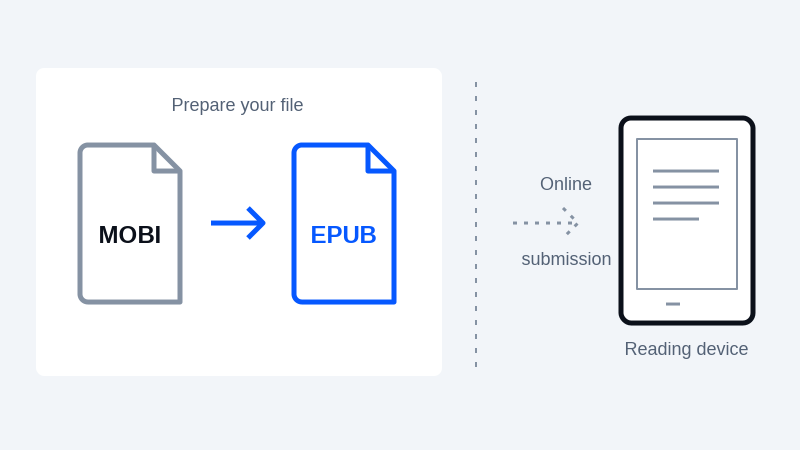
Keep your master file as a validated DRM-free EPUB: sideload it directly onto Kobo or Apple Books, and upload the same EPUB through Amazon Send to Kindle for modern Kindles.
Keep your original. Try a new format.
Check converter availability and use DRM-free files you have permission to convert.
Open the converter