Why the .prc extension describes a Palm container, not a single book format
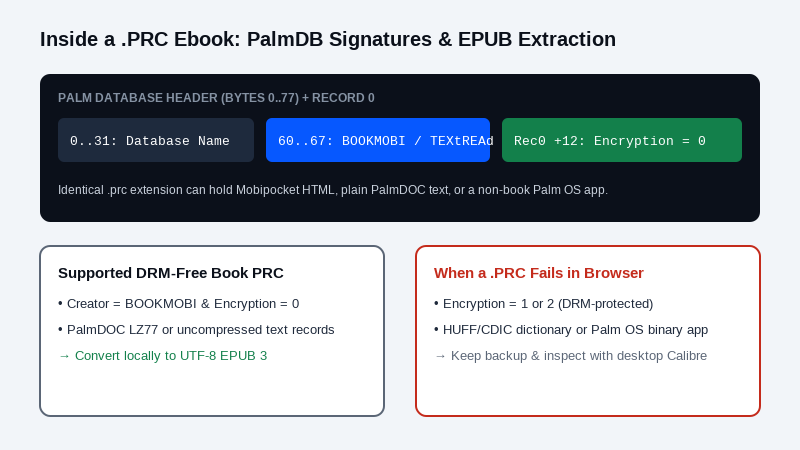
Long before EPUB 3 and KF8 existed, handheld readers on Palm OS stored applications and documents inside Palm Resource / Palm Database containers using the .prc and .pdb extensions. Mobipocket adopted that 78-byte Palm database header for early commercial and public-domain ebooks, writing the 8-byte ASCII type/creator string BOOKMOBI at byte offsets 60..67—the exact binary structure that later became .mobi and early Kindle .azw.
Because .prc is a generic container extension, two files named novel.prc can hold completely different payloads: a DRM-free Mobipocket HTML book, a plain-text TEXtREAd PalmDOC memo, a HUFF/CDIC dictionary-compressed reference book, an encrypted retail purchase, or even a compiled Motorola 68k Palm OS program that contains no book text at all.
Header signature (bytes 60..67) | Record 0 compression / encryption | What the .prc file actually is | Recommended EPUB workflow |
|---|---|---|---|
BOOKMOBI | Compression 1 (none) or 2 (PalmDOC LZ77), Encryption 0 | Unprotected Mobipocket ebook (HTML/text records) | Convert locally via the MOBI to EPUB converter and inspect chapters |
TEXtREAd | Compression 1 or 2, Encryption 0 | Classic plain-text PalmDOC document | Try supported local import or extract UTF-8 text via desktop Calibre / TXT to EPUB |
BOOKMOBI | Compression 17480 (HUFF/CDIC) | Huffman-dictionary compressed Mobipocket book | Use a desktop Calibre workflow; browser LZ77 parsers may reject HUFF/CDIC |
BOOKMOBI | Encryption 1 (old Mobipocket) or 2 (PID/DRM) | DRM-encrypted Mobipocket book | Protected file—cannot be converted here; read in an authorized legacy app |
How to convert a supported DRM-free .prc ebook to EPUB
- Keep a copy of the original
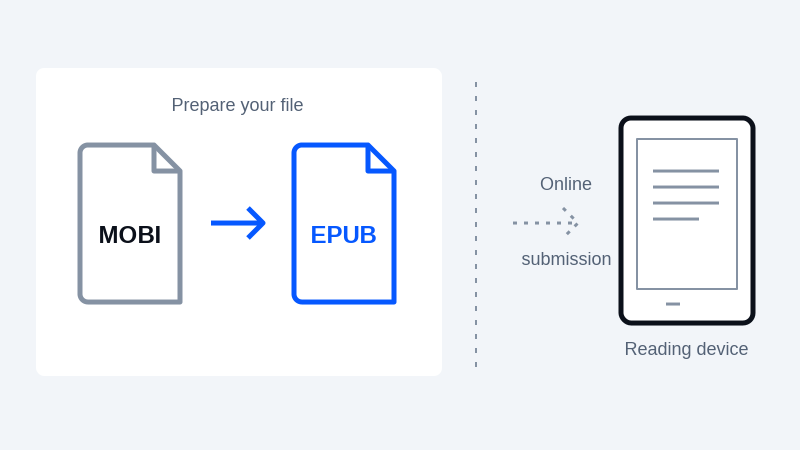
.prcfile: Legacy archives from the early 2000s often use older 8-bit encodings, so always retain an untouched backup before converting. - Load the file in the local converter: Open the MOBI to EPUB converter (which accepts Mobipocket-family PalmDB inputs locally in your browser without uploading your book to a server) and check the detected title and author fields.
- Inspect character encoding and chapter breaks: Download the new
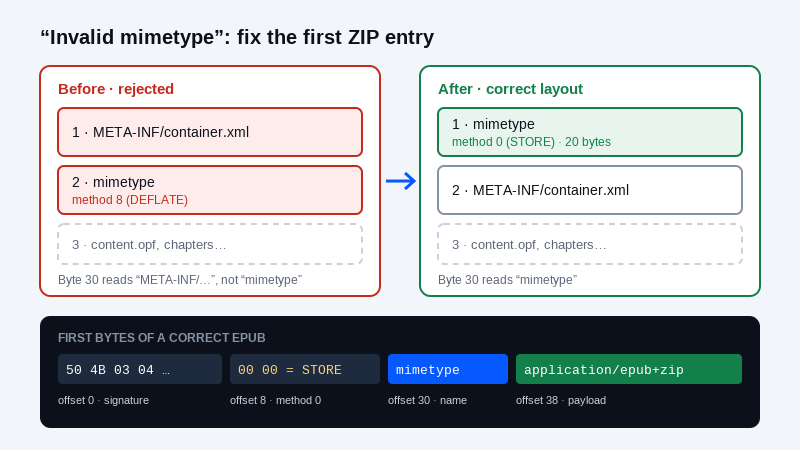
.epuband open several chapters in an EPUB reader, paying special attention to smart quotes, accented European names, em-dashes and the last page of the book. - Validate packaging before cloud delivery: If you plan to send the book to a modern Kindle or Kobo, check container structure in the EPUB Preflight Checker (
application/epub+zipstored uncompressed at offset 30 per the W3C EPUB 3.3 OCF specification).
Why early-2000s PRC books frequently show Windows-1252 mojibake
Unlike modern EPUB 3 XHTML chapters that standardize on UTF-8, many legacy Mobipocket .prc files store text in single-byte code pages (commonly 1252 for Western European Latin-1/Windows-1252, or 65001 for UTF-8 declared in the Mobipocket EXTH/Record 0 header). When a legacy authoring tool wrote raw Windows-1252 curly quotes or Cyrillic bytes without setting the codepage field accurately, converted text can display sequences like — or é.
If your converted EPUB opens cleanly except for garbled punctuation or missing chapter links, follow our step-by-step Missing Table of Contents and Character Encoding Repair Guide rather than reconverting the damaged output repeatedly.
Delivering converted PRC books to Kindle, Kobo and Apple Books
Amazon's Send to Kindle portal no longer accepts legacy .mobi or .prc uploads, and Apple Books has never opened PalmDB containers directly. Once you have converted a permitted DRM-free .prc into a checked EPUB:
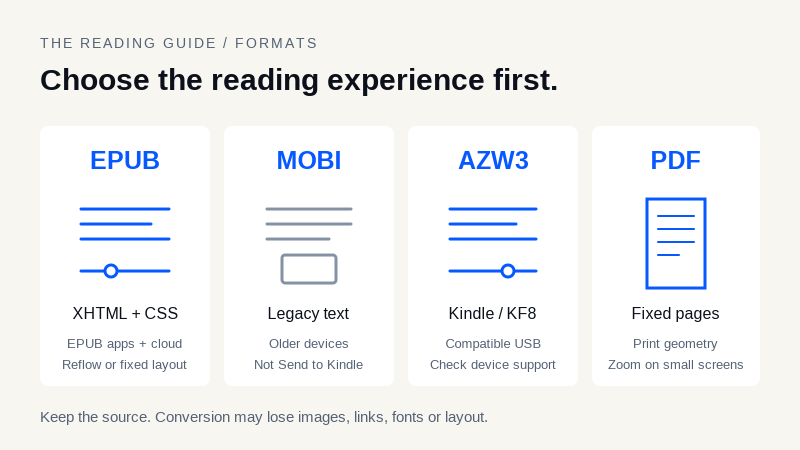
- Modern Kindle (cloud library): Submit the checked EPUB through Send to Kindle—see Does Kindle Support EPUB? and EPUB vs MOBI vs AZW3 vs PDF.
- Kobo, PocketBook and Apple Books: Import the EPUB directly via USB, Files/AirDrop or Kobo sideloading (see our Kobo MOBI & AZW3 to EPUB guide).
- Legacy Kindle over USB: Keep your working
.prc/.mobicopy for pre-KF8 hardware or use the Ebook Format Selector to match your exact device.
When a .prc file fails conversion in the browser
Not every .prc file on an old backup drive is a readable Mobipocket text book. If the converter reports an unsupported compression method, encrypted record or invalid header, check whether the file uses HUFF/CDIC dictionary compression, carries legacy PID DRM, or is a Palm OS application resource database (appl). Never rename .prc to .epub—renaming does not create a ZIP archive or XHTML chapters.
Verification checklist for converted PRC archives
- Backup of the original
.prcfile is preserved unchanged. - Source is DRM-free (
Encryption = 0) and you have permission to convert it. - Beginning, middle and final chapters are complete with no truncated text records.
- Quotation marks, dashes and non-ASCII letters match the original text.
- Generated navigation menu opens chapters accurately on your target reader.
Frequently asked questions
Is a .prc ebook the same format as .mobi?
Most DRM-free .prc ebooks created for Mobipocket Reader share the exact same BOOKMOBI Palm Database header and LZ77 text-record layout as .mobi files. However, the .prc extension was also used for plain PalmDOC memos and non-ebook Palm OS software.
Can I rename a .prc file to .mobi or .epub?
Renaming .prc to .epub never works because EPUB is a structured OCF ZIP archive, whereas PRC is a binary Palm database. Even when renaming .prc to .mobi opens in an older reader, converting to a real EPUB is required for Apple Books, Kobo and Amazon Send to Kindle.
Why did my old .prc file fail with an encryption or compression error?
Retail Mobipocket .prc purchases often have Record 0 encryption set to 1 or 2 (DRM), which this converter does not remove, and some large reference books use HUFF/CDIC dictionary compression that requires a desktop tool such as Calibre.
Are my local .prc files uploaded to a server during conversion?
No. Files chosen from your device are parsed and packaged into EPUB locally inside your browser memory; see our privacy page for details on static page assets and analytics.
Keep your original. Try a new format.
Check converter availability and use DRM-free files you have permission to convert.
Open the converter