CBZ and CBR are archives, not interchangeable extensions
A CBZ is a ZIP-based comic archive, usually containing page images. A CBR is RAR-based. The images may look identical after extraction, but the archive formats require different decoders. This site's CBZ converter does not accept CBR/RAR. Renaming a CBR to CBZ does not convert its contents and will not make the unsupported archive readable here.
Work only with comics you created, public-domain material or files you have permission to convert. Keep the original archive unchanged. An EPUB made from page images is still an image-based publication: it does not automatically gain selectable text, panel-by-panel navigation or an accessible text transcript.
| Starting material | Preparation | What to check |
|---|---|---|
| CBZ / ZIP with supported page images | Inspect ordering, then use the comic workflow | Every page is present and decodes correctly |
| CBR / RAR | Extract locally with a compatible tool, then create a real ZIP/CBZ | Repacking is not just renaming the archive |
| Loose supported images | Use the Comic to EPUB studio | File sequence, dimensions and cover placement |
| Scanned PDF | Use an appropriate separate page-image extraction workflow | The text-oriented PDF converter is not a comic-page extractor |
Prepare a CBR source without changing the original
Use a reputable local archive utility that supports RAR to extract a permitted CBR into a new folder. Inspect the extracted files before repacking. Keep only the intended page images in the working copy, remove unrelated preview files from that copy, and make sure no page has been omitted because an extraction failed. Do not execute unexpected programs found inside an archive.
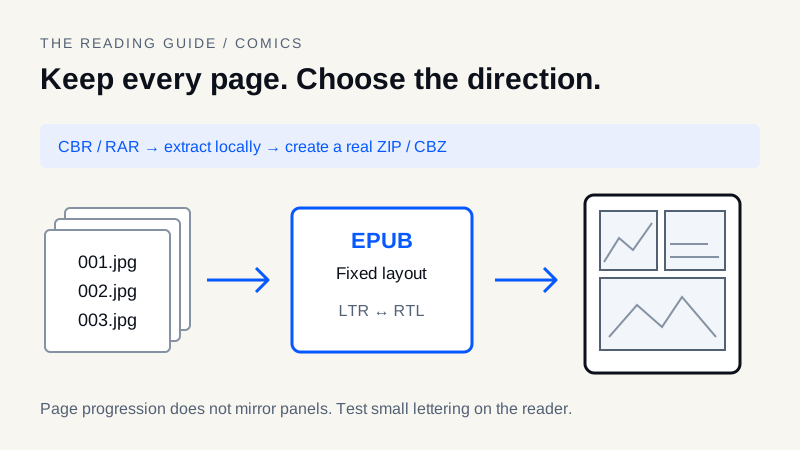
Create a ZIP archive from the checked image files. A correctly created ZIP can be named with a CBZ extension because those formats share the ZIP container; a RAR cannot. Avoid an unnecessary hierarchy of nested folders when preparing the new archive. Open the resulting CBZ in a comic reader to verify the page count and sequence before asking another tool to package it as EPUB.
This preparation step is external to MobiToEpub. It does not add CBR decoding to the website. For other workflows, Calibre's comic collection documentation describes options to evaluate for the particular input and output you need.
Put page order before image enhancement
Use an unambiguous sequence such as 001.jpg, 002.jpg and 003.jpg. This site's archive workflow uses natural filename ordering, but clear numbering still prevents confusion when moving between tools. Name covers, inserts and bonus pages deliberately; a file called cover.jpg is not universally guaranteed to sort first.
Count the pages before and after conversion. Review the first story page, a middle spread and the ending. If a double-page spread was split, check both the split order and whether any artwork or dialogue was lost. Avoid relying on archive insertion order or on the order shown by an operating system's thumbnail view.
Convert the prepared archive to fixed-layout EPUB
- Open the CBZ to EPUB converter and select the supported archive. Read its current input and resource-limit notices before importing a large volume.
- Inspect the detected title and page sequence. Choose the reading direction in Options; the converter does not infer the manga's intended direction from the artwork.
- Export the EPUB and open it in a reading system that supports fixed-layout EPUB. Check the first page before processing many volumes.
- Compare the page count, cover, spreads and final page with the original. Keep the source archive until the intended device has passed the same checks.
The separate Comic to EPUB studio accepts CBZ, ZIP and supported image files and offers optional border trimming. It is not the same as the text-oriented ebook conversion path. Use its preview before applying a crop across the whole volume. These specialist tools currently use English.
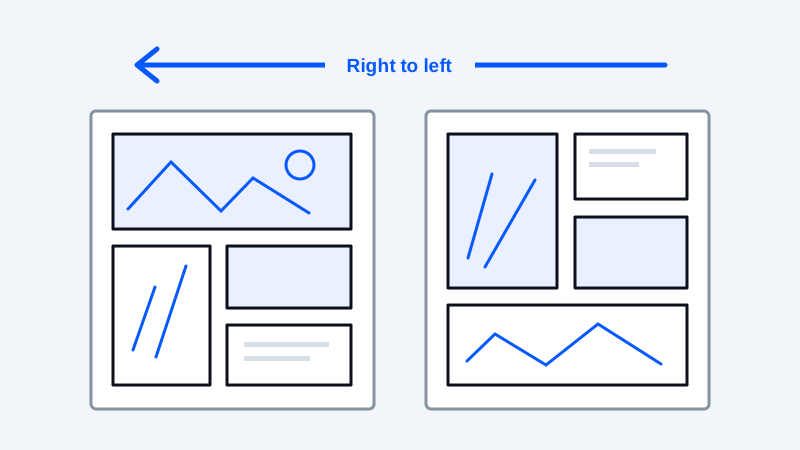
RTL and LTR describe page progression, not panel editing
For right-to-left manga, the EPUB spine can specify page-progression-direction="rtl"; left-to-right books use the corresponding direction. This affects publication progression in a supporting reader. It does not reverse lettering, mirror artwork or reorder the panels already drawn inside an image. The W3C EPUB spine specification defines the metadata.
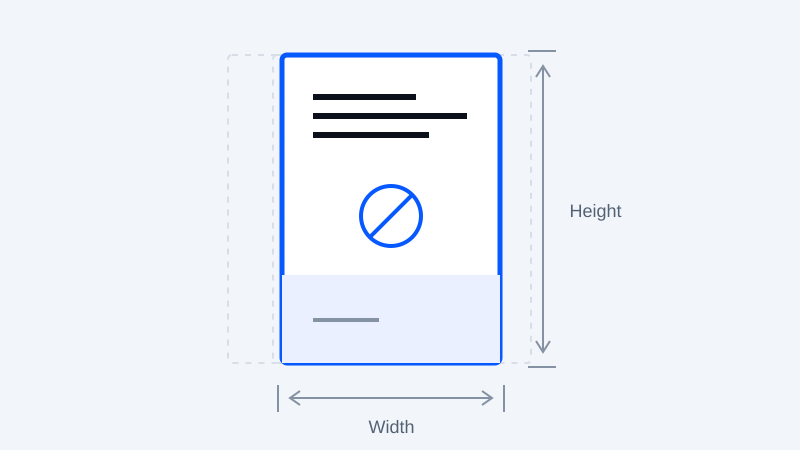
Fixed-layout packaging can also declare a pre-paginated layout and page viewport dimensions. Those declarations describe the intended layout; they do not force every reading system to honor identical margins, spread behavior or zoom. Test the actual app or device rather than assuming that a valid EPUB guarantees a particular Kindle experience.
Fit e-ink without damaging the artwork
Choose a dialogue-heavy page, a dark page and a spread for a small test. Remove unnecessary outer margins only when the crop will not cut speech bubbles, credits or page numbers. Preserve the aspect ratio. Stretching a portrait page to fill a wider screen distorts the art; adding pixels does not recover lettering that was unreadable in the source.
On monochrome readers, check whether adjacent colors collapse into the same gray. Dithering can approximate tones using patterns, but it can also add distracting texture or damage fine lines. The Image dithering tool works on one image at a time and exports PNG; it is not automatic whole-volume processing. Compare the test page on the reader before applying a workflow broadly.
For more detail, see the existing manga margins, grayscale and reading-order guide. If a volume is too large or resource-intensive, reduce unnecessary image dimensions on copies or divide it into logical volumes; do not assume the browser can safely decode an unlimited archive.
Test the destination and retain a fallback
Run EPUBCheck separately to inspect EPUB structure, then perform a reading check. The site does not automatically run EPUBCheck. If using Amazon delivery, review the Send to Kindle workflow and test a short sample: fixed-layout acceptance and behavior cannot be inferred from reflowable EPUB support alone.
- Original archive and page count are preserved.
- Input is a real supported ZIP/CBZ, not a renamed RAR.
- Covers, spreads and ending pages are in the intended order.
- RTL/LTR progression matches the work without mirrored artwork.
- Crops preserve dialogue and grayscale preserves contrast.
- Lettering is readable and navigation works on the target reader.
If a reading system handles the original CBZ better than the EPUB, keeping that edition may be the better choice. See the format comparison before treating conversion as mandatory.
Frequently asked questions
Can this website convert CBR directly to EPUB?
No. CBR/RAR input is not supported here. Extract a permitted archive locally with a compatible utility, verify the images, and create an actual ZIP/CBZ before using the comic workflow.
Can I rename a CBR file to CBZ?
No. Renaming does not change RAR into ZIP. Create a new ZIP archive from the extracted page images and check page order; a ZIP-based comic archive can then use the CBZ extension.
Does choosing RTL reverse the panels in a manga page?
No. RTL sets page progression metadata for a supporting reader. It does not mirror artwork, reverse lettering or rearrange panels inside an image.
Will every fixed-layout comic EPUB work perfectly on Kindle?
No. Delivery acceptance, fixed-layout behavior, spreads and zoom depend on the service and reading system. Validate the file and test a short sample on the actual destination before converting a full collection.
Keep your original. Try a new format.
Check converter availability and use DRM-free files you have permission to convert.
Open the converter