Why a MOBI attachment can be rejected
If a MOBI book will not arrive in your Kindle library, check the delivery method first. Amazon's current Send to Kindle format list includes EPUB, PDF and several document and image formats; MOBI is not listed. A file that opened on an older reader is not necessarily accepted by today's delivery service. Amazon: supported Send to Kindle formats
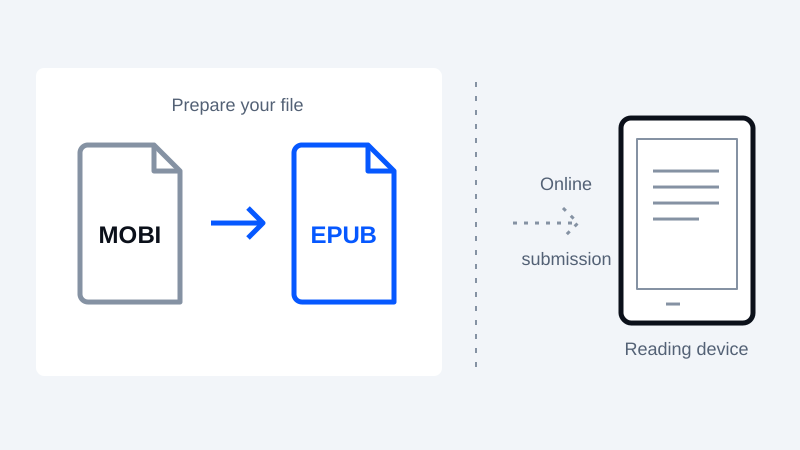
Changing a filename from .mobi to .epub does not convert the book. The contents must be read and written into a different container. Start with the original, DRM-free file and keep a backup so you can compare the converted result.
Convert a supported book to EPUB
- Open the MOBI to EPUB converter and choose your local MOBI file.
- Check the detected title and author before starting. A filename is sometimes the only available title, so correct it if necessary.
- Convert the book and download the EPUB. Processing time depends on the file and your device.
- Open the output in a reading application. Compare the beginning, a middle chapter and the ending with the original. Check accented characters, chapter order and any important tables or illustrations.
This browser converter uses a JavaScript text parser and EPUB writer. It supports some DRM-free MOBI-family variants; it does not remove DRM, preserve every layout or extract every embedded resource. Unsupported compression and damaged files can fail. A successful download is not a promise that a delivery service will accept the file.
Send the checked EPUB to your library
Use Amazon's Send to Kindle portal or a supported Send to Kindle application. Amazon documents web uploads of up to 200 MB; check its current instructions before sending a large file. Sending the output to Amazon is a separate upload you choose to make after local conversion. Amazon delivery options
For email, use the Kindle address associated with your account and an approved sender address. Amazon's email instructions also set attachment and size limits. Follow that channel's rules rather than assuming the web-upload limit applies to email. Amazon email setup
If the EPUB is still rejected
Read the actual error message. Check that the attached file is the downloaded EPUB, the sender is approved, and the document is within the channel's limits. If the book opens with missing chapters or unreadable text, stop and revisit the source rather than repeatedly resending it.
For a structural check, use EPUBCheck, which evaluates an EPUB against the specification. This website does not run EPUBCheck as part of conversion. A clean validation report is useful, but visual inspection and the receiving service's own checks still matter.
For complex books, consider a dedicated desktop conversion workflow. Keep your original file until the book both arrives and reads correctly on the device you intend to use.
Keep your original. Try a new format.
Check converter availability and use DRM-free files you have permission to convert.
Open the converter